
- Company: Stability AI
- Platforms: Web, Web Browser
- Updated on: December 22, 2025
- Status: Unverified
- Company: Stability AI
- Updated At: December 22, 2025
- Editor Rating: 4.6
- Platform: Web, Web Browser
Stable Diffusion is an advanced AI tool for generating high-quality images from textual descriptions, ideal for artists and designers.
- Generator, Model
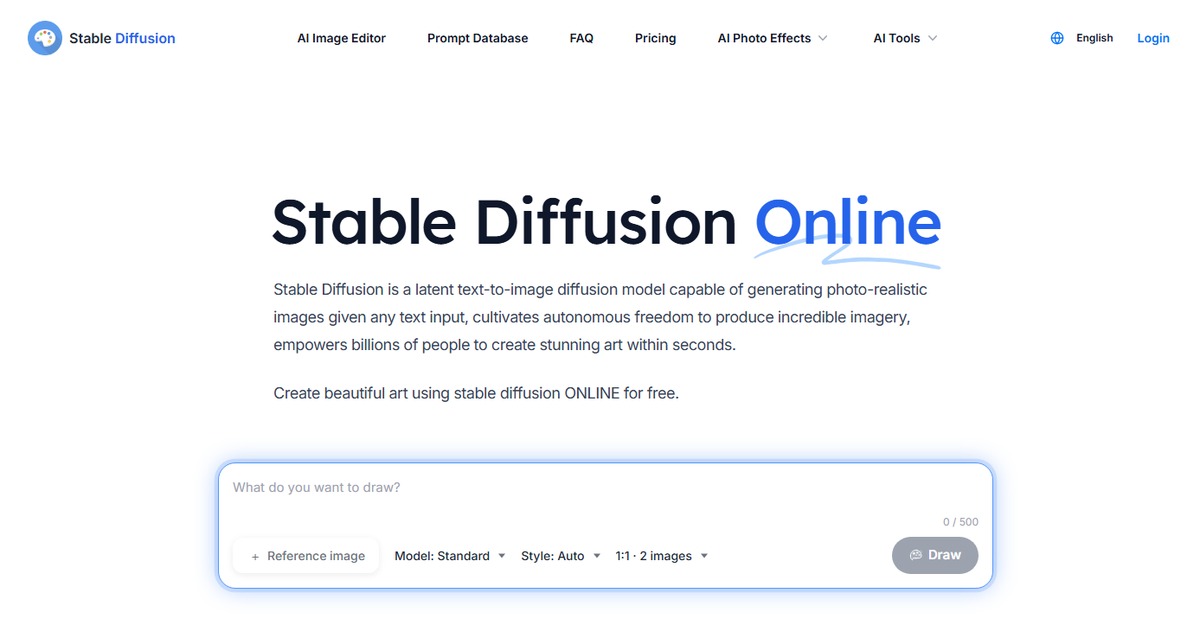
Overview of Stable Diffusion
Stable Diffusion is a cutting-edge AI framework designed to generate stunning images from text prompts, making it a vital tool for artists, marketers, and content creators. This innovative software leverages deep learning techniques to transform simple descriptions into intricate visual representations, addressing the growing demand for unique and engaging digital content. With its ability to produce high-resolution images quickly, Stable Diffusion stands out in the crowded field of AI image generation tools. It is particularly beneficial for those in creative industries, enabling users to visualize concepts and ideas that were previously limited by their artistic skills. The platform’s unique capabilities include customizable output settings, allowing users to fine-tune the generated images to match their specific needs. Practical use cases range from creating artwork for marketing campaigns to generating illustrations for articles and blogs. By simplifying the image creation process, Stable Diffusion not only saves time but also enhances the creative potential of its users.
Key Features
- Text-to-Image Generation: Converts textual descriptions into high-quality images, allowing for creative expression.
- Customizable Output Settings: Users can adjust parameters such as style and resolution to tailor images to their needs.
- Rapid Image Processing: Generates images quickly, making it suitable for time-sensitive projects.
- User-Friendly Interface: Designed for ease of use, enabling both novices and experts to navigate effortlessly.
- Comprehensive Reporting: Offers insights and analysis on generated images, helping users refine their creative process.
Pros & Cons
Pros.
- High-quality image generation that meets professional standards.
- Flexible pricing plans that cater to different user needs.
- Robust community support and resources for troubleshooting.
- Regular updates and improvements based on user feedback.
- Versatile applications across various creative fields.
Cons.
- Initial learning curve for new users unfamiliar with AI tools.
- Some advanced features may require a subscription.
- Dependent on internet connectivity for optimal performance.
- Occasional inconsistencies in image quality based on input complexity.
- Limited offline capabilities, which may hinder some users.
How to Use (Quick Start)
- Visit the Stable Diffusion website and sign up for an account.
- Log in to your dashboard.
- Select the type of input you want to use (e.g., text prompt).
- Enter your description or upload a relevant document.
- Adjust the settings for output preferences.
- Click on the generate button to create your image.
- Review the generated images and download your favorites.
- Utilize the insights and reports generated for further analysis.
FAQs of Stable Diffusion
What types of inputs does Stable Diffusion accept?
Stable Diffusion accepts inputs such as CSV files, documents, and API calls.
Can I use Stable Diffusion for commercial purposes?
Yes, images generated can be used for commercial purposes, but check the licensing agreements.
Is there a free trial available?
Yes, Stable Diffusion offers a free plan with basic features.
How does the pricing work?
Pricing is based on a subscription model with various tiers depending on features.
What platforms can I use Stable Diffusion on?
Stable Diffusion is accessible via web and browser platforms.
Are there any integrations available?
Yes, Stable Diffusion integrates with platforms like WordPress and Zapier.
How can I improve the quality of generated images?
Adjusting the input descriptions and output settings can help enhance image quality.
Related AI Tools
No results found.