
ChatPDF
- Company: ChatPDF
- Platforms: Web, Web Browser
- Updated on: December 31, 2025
- Status: Unverified
- Company: ChatPDF
- Updated At: December 31, 2025
- Editor Rating: 4.6
- Platform: Web, Web Browser
ChatPDF revolutionizes how you interact with PDFs, offering powerful analysis and management tools.
- Generator, Analyzer, Assistant
Overview of ChatPDF
ChatPDF is an innovative online tool designed to enhance your interaction with PDF documents. It allows users to upload, analyze, and extract insights from their PDFs seamlessly. This tool is particularly valuable for professionals and students who frequently work with large volumes of documents and require efficient methods to manage and retrieve information. By simplifying the process of document analysis, ChatPDF addresses common pain points such as time-consuming searches and the need for manual data extraction. Its unique capabilities include advanced text recognition and summarization features, making it an essential resource for anyone looking to streamline their PDF workflows. Whether you are conducting research, compiling reports, or simply need to manage your documents more effectively, ChatPDF offers practical solutions that can significantly enhance productivity and efficiency.
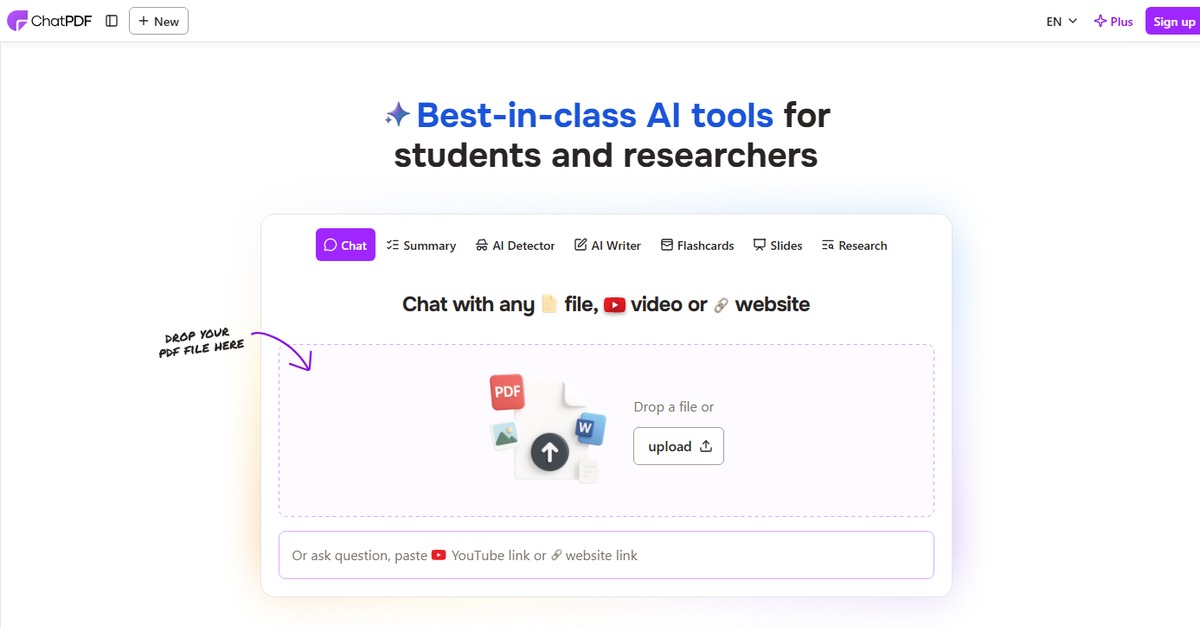
Key Features
- Advanced PDF Analysis: Utilize sophisticated algorithms to extract and summarize key information from your documents.
- User-Friendly Interface: Navigate through the tool with ease, thanks to its intuitive design.
- Real-Time Collaboration: Work with others in real-time, making it easy to share insights and feedback.
- Secure Document Handling: Ensure your documents are handled with the utmost security and privacy.
- Flexible Integration Options: Connect with popular platforms like WordPress and Zapier for enhanced functionality.
Pros & Cons
Pros.
- Highly efficient in extracting relevant information, saving users significant time.
- Offers a freemium model, allowing users to explore basic features without any cost.
- Regular updates and improvements based on user feedback enhance the tool's capabilities.
- Supports various document formats, making it versatile for different user needs.
- Strong community support and resources available for troubleshooting and tips.
Cons.
- Some advanced features are only available in the paid version, which may limit functionality for free users.
- Occasional performance lags with larger documents, affecting user experience.
- Limited offline capabilities, requiring internet access for full functionality.
- The learning curve for new users may be steep due to the range of features offered.
- Integration options, while useful, may not cover all user needs or preferences.
How to Use (Quick Start)
- Visit the ChatPDF website.
- Create an account or log in.
- Upload your PDF document.
- Choose the analysis features you wish to use.
- Review the generated insights and summaries.
- Download or share the results as needed.
- Explore additional features for enhanced document management.
FAQs of ChatPDF
What types of documents can I upload to ChatPDF?
You can upload various PDF documents, and the tool also supports other formats for analysis.
Is there a limit to the size of the PDF I can upload?
Yes, the free version has a size limit, while the Pro version allows larger files.
Can I collaborate with others using ChatPDF?
Absolutely! ChatPDF offers real-time collaboration features for shared projects.
What security measures are in place for my documents?
ChatPDF employs encryption and secure handling protocols to protect your data.
Are there any tutorials available for new users?
Yes, ChatPDF provides comprehensive guides and tutorials to help users get started.
How often does ChatPDF update its features?
ChatPDF regularly updates its features based on user feedback and technological advancements.
Can I integrate ChatPDF with other tools I use?
Yes, ChatPDF integrates with popular platforms like WordPress and Zapier for enhanced functionality.
Related AI Tools
No results found.