
- Company: InVideo
- Platforms: Web, Web Browser, Mac, Windows
- Updated on: December 30, 2025
- Status: Unverified
- Company: InVideo
- Updated At: December 30, 2025
- Editor Rating: 4.6
- Platform: Web, Web Browser, Mac, Windows
InVideo is a versatile video creation tool designed for marketers, educators, and content creators, offering a range of features to simplify video production.
- Generator, Editor

Overview of InVideo
InVideo is a comprehensive video creation platform that empowers users to produce high-quality videos with ease. It caters to a diverse audience, including marketers, educators, and social media managers, by providing a user-friendly interface and a rich library of templates. The tool addresses common challenges in video production, such as time constraints and the need for professional-quality output. With unique capabilities like AI-driven text-to-video conversion and extensive customization options, InVideo stands out in the crowded video editing landscape. Users can create promotional videos, educational content, and social media clips, making it a valuable asset for anyone looking to enhance their digital presence. The platform’s practical use cases range from creating engaging advertisements to crafting informative tutorials, ultimately delivering realistic benefits such as increased engagement and improved brand visibility.
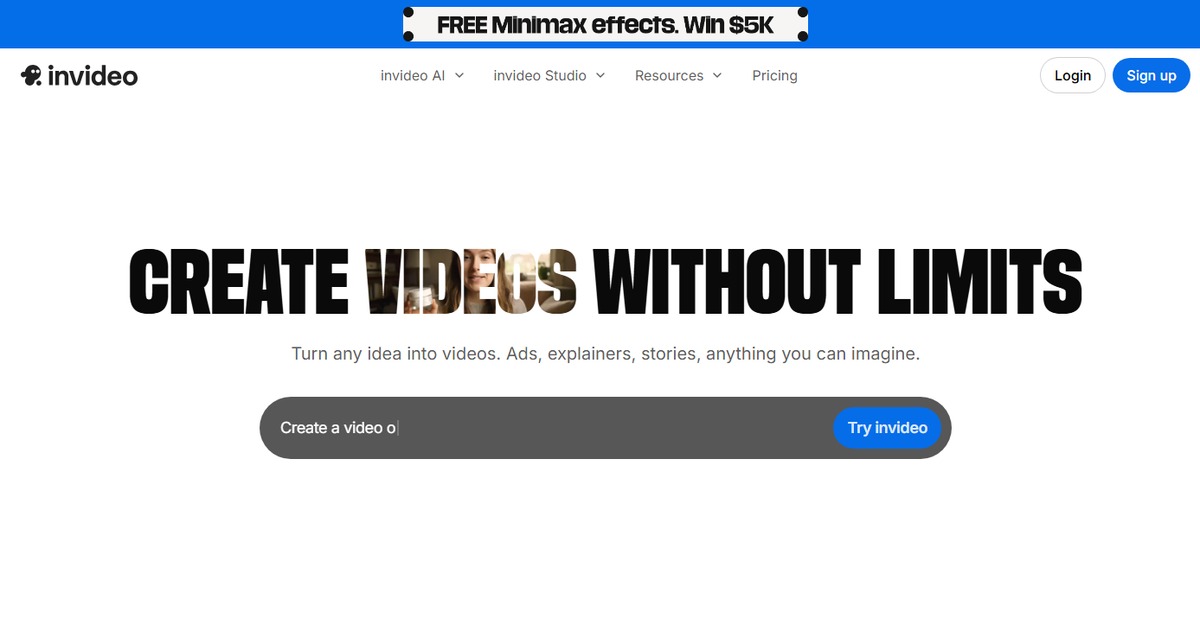
Key Features
- Extensive Template Library: InVideo offers a vast collection of customizable templates across various categories, making it easy to create professional-looking videos.
- AI-Powered Text-to-Video: This feature allows users to convert written content into engaging videos, streamlining the video creation process.
- User-Friendly Interface: The platform is designed for ease of use, enabling users of all skill levels to create videos without a steep learning curve.
- Collaboration Tools: InVideo supports team collaboration, allowing multiple users to work on projects simultaneously, which is ideal for businesses.
- Flexible Export Options: Users can export videos in multiple formats and resolutions, catering to different platforms and needs.
Pros & Cons
Pros.
- Versatile for Different Use Cases: InVideo is suitable for various applications, from marketing campaigns to educational content.
- Rich Feature Set: The combination of templates, AI tools, and editing capabilities provides a comprehensive solution for video creation.
- Regular Updates: InVideo frequently updates its features and templates, ensuring users have access to the latest trends.
- Strong Community Support: Users can find tutorials, forums, and customer support to help them navigate the platform.
- Affordable Pricing: With a freemium model and competitive paid plans, InVideo offers great value for its features.
Cons.
- Limited Free Features: The free plan has restrictions that may not meet the needs of professional users.
- Learning Curve for Advanced Features: While basic features are easy to use, some advanced functionalities may require time to master.
- Internet Dependency: As a web-based tool, a stable internet connection is necessary for optimal performance.
- Occasional Performance Issues: Users have reported lag during high-demand editing tasks, which can be frustrating.
- Export Limitations on Free Plan: The free version restricts video exports to lower resolutions, which may not be suitable for all users.
How to Use (Quick Start)
- Sign up for an account on InVideo.
- Select a template or start from scratch.
- Upload your video, audio, or image files.
- Use the editing tools to customize your content.
- Add text, transitions, and effects as needed.
- Preview your video to ensure it meets your expectations.
- Export your video in the desired format.
- Share your video directly to social media or download it for later use.
FAQs of InVideo
What types of videos can I create with InVideo?
InVideo allows you to create a variety of videos, including promotional videos, social media clips, and educational content.
Is there a mobile app for InVideo?
Currently, InVideo is primarily a web-based platform, but it can be accessed on mobile devices through a browser.
Can I collaborate with my team on InVideo?
Yes, InVideo supports team collaboration, enabling multiple users to work on projects simultaneously.
What formats can I export my videos in?
InVideo allows you to export videos in various formats, including MP4, suitable for different platforms.
Does InVideo offer customer support?
Yes, InVideo provides customer support through various channels, including email and a help center.
Are there any hidden fees with InVideo's subscription plans?
InVideo is transparent about its pricing, and there are no hidden fees associated with its subscription plans.
Can I use my own media files in InVideo?
Absolutely! You can upload your own images, videos, and audio files to use in your projects.
Related AI Tools
No results found.