
- Company: Bubble
- Platforms: Web, Chrome Extension, VS Code
- Updated on: February 27, 2026
- Status: Unverified
- Company: Bubble
- Updated At: February 27, 2026
- Editor Rating: 4.6
- Platform: Web, Chrome Extension, VS Code
Bubble AI Plugins empower developers to create web applications effortlessly, integrating AI capabilities for enhanced functionality.
- Generator, Assistant, Framework
Overview of Bubble AI Plugins
Bubble AI Plugins are designed to streamline the web development process by providing developers with powerful tools to integrate AI functionalities into their applications. This platform is essential for those looking to build sophisticated web apps without extensive coding knowledge. By leveraging Bubble’s capabilities, users can solve common development challenges such as time-consuming coding and complex integrations. The platform is particularly beneficial for startups, entrepreneurs, and small businesses aiming to launch their products quickly and efficiently. Unique features include a user-friendly interface, a variety of pre-built plugins, and seamless integration with third-party services. Practical use cases range from automating workflows to enhancing user experiences with AI-driven features. Ultimately, Bubble AI Plugins offer realistic benefits such as reduced development time, cost savings, and the ability to focus on innovation rather than technical hurdles.
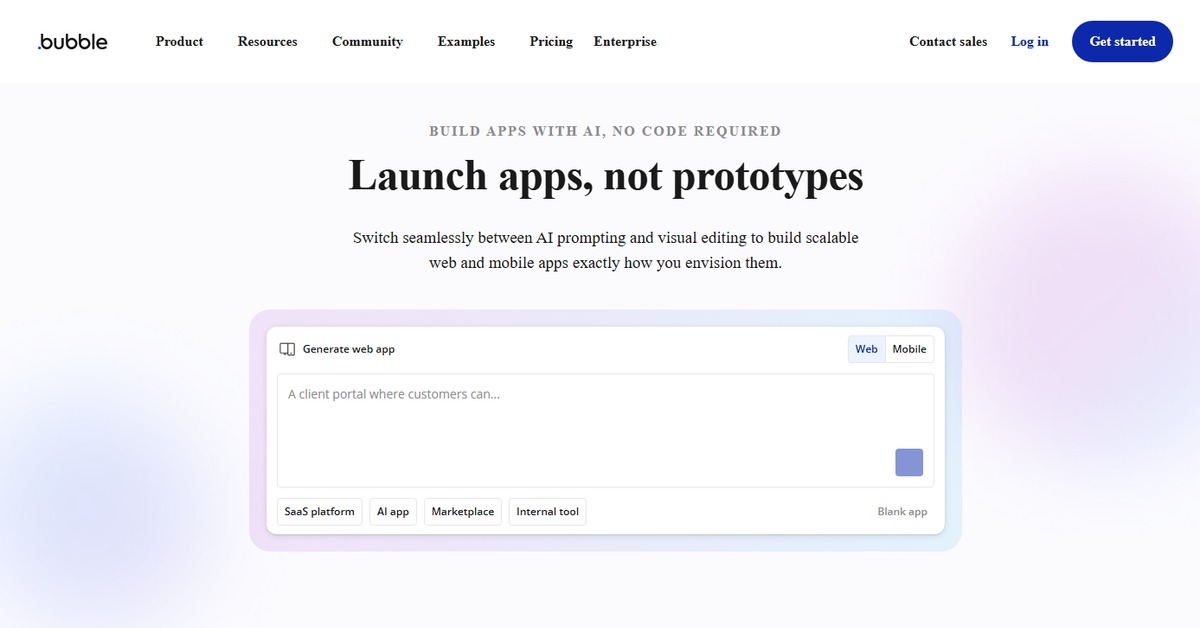
Key Features
- User-Friendly Interface: Bubble provides an intuitive drag-and-drop interface that simplifies the app development process, making it accessible even for non-technical users.
- AI Plugin Marketplace: Users can access a wide range of AI plugins that enhance functionality, from chatbots to data analysis tools.
- Custom Integrations: The platform allows for seamless integration with various third-party services, enabling users to expand their app's capabilities.
- Responsive Design: Bubble ensures that applications built on its platform are responsive and work well on various devices.
- Real-Time Collaboration: Teams can work together in real-time, making it easier to develop and iterate on projects.
Pros & Cons
Pros.
- Flexibility: Bubble allows developers to create highly customizable applications tailored to specific needs.
- Rapid Development: The platform significantly reduces the time required to build and launch applications.
- Cost-Effective: With flexible pricing plans, Bubble offers a budget-friendly solution for startups and small businesses.
- Community Support: A robust community and extensive documentation provide users with the resources needed to troubleshoot and innovate.
- Scalability: Applications built on Bubble can scale as the business grows, accommodating increased user demand.
Cons.
- Learning Curve: While user-friendly, some users may still face a learning curve when first using the platform.
- Performance Limitations: As applications grow in complexity, performance may be affected if not optimized properly.
- Dependency on Platform: Users may become reliant on Bubble's ecosystem, making migration to other platforms challenging.
- Limited Offline Capabilities: Bubble applications primarily operate online, which may not suit all use cases.
- Pricing for Advanced Features: Some advanced features are only available in paid plans, which may be a barrier for some users.
How to Use (Quick Start)
- Visit the Bubble website and sign up for an account.
- Choose a template or start from scratch to create your app.
- Access the plugin marketplace to explore available AI plugins.
- Select the desired plugins and integrate them into your app.
- Customize the plugins according to your app’s requirements.
- Test the app to ensure all functionalities work as intended.
- Launch your app and monitor its performance.
FAQs of Bubble AI Plugins
What types of applications can I build with Bubble AI Plugins?
You can build a wide range of applications, including web apps, marketplaces, and SaaS products, leveraging AI functionalities.
Is there a free trial available for Bubble?
Yes, Bubble offers a free plan with basic features, allowing users to explore the platform before committing to a paid plan.
Can I integrate third-party services with Bubble?
Absolutely! Bubble supports integrations with various third-party services like Stripe, Zapier, and Airtable.
What support options are available for Bubble users?
Bubble provides extensive documentation, community forums, and email support for users seeking assistance.
How does Bubble handle data security?
Bubble takes data security seriously, employing industry-standard measures to protect user data and ensure compliance.
Can I export my application from Bubble?
Exporting applications from Bubble can be complex, as they are built on a proprietary platform, which may limit migration options.
Are there any limitations to the free plan?
Yes, the free plan has limitations on features and usage, which can be expanded with paid plans.
Related AI Tools
No results found.