
- Company: Pitch
- Platforms: Web, Web Browser, Figma
- Updated on: February 4, 2026
- Status: Unverified
- Company: Pitch
- Updated At: February 4, 2026
- Editor Rating: 4.6
- Platform: Web, Web Browser, Figma
Pitch AI is an innovative tool designed to streamline presentation creation and enhance team collaboration.
- Generator, Assistant, Editor
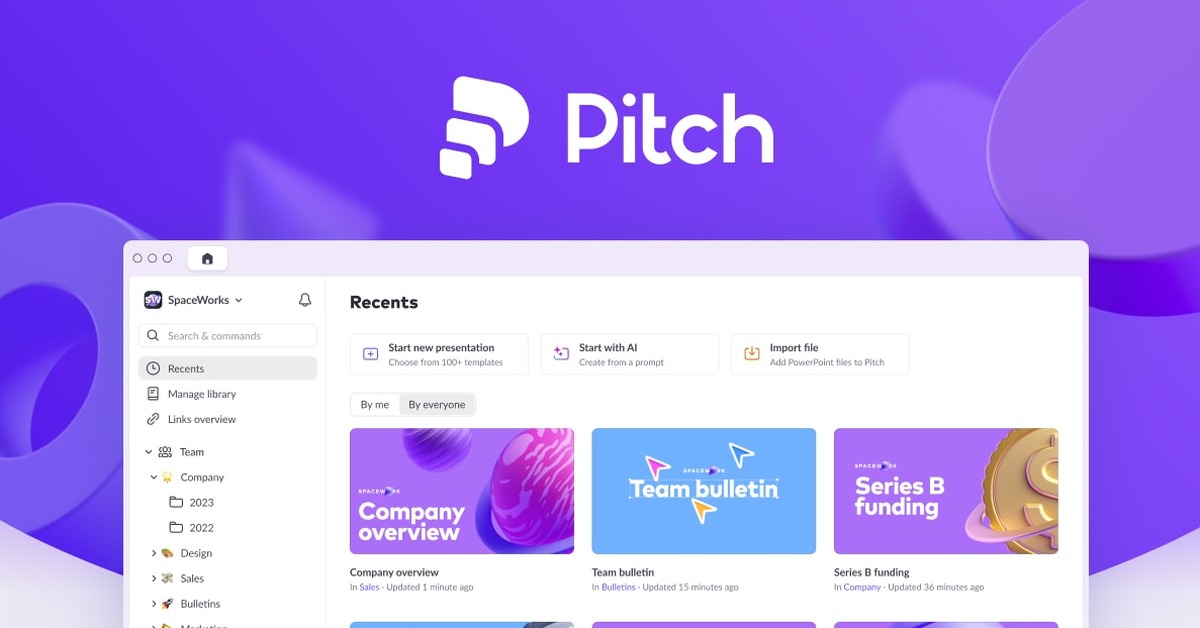
Overview of Pitch AI
Pitch AI is a cutting-edge tool that revolutionizes the way presentations are created and shared. It allows users to seamlessly integrate text, images, and prompts to produce visually stunning presentations that captivate audiences. This tool is particularly valuable for professionals, educators, and teams who require a collaborative platform to design and share their ideas effectively. By addressing common challenges such as time-consuming design processes and lack of cohesive team input, Pitch AI empowers users to create polished presentations with ease. Its unique capabilities include advanced design templates, real-time collaboration features, and intuitive editing tools that simplify the presentation workflow. Whether you’re preparing for a business pitch, an educational lecture, or a creative showcase, Pitch AI provides the necessary tools to elevate your presentation game and ensure impactful delivery.

Key Features
- Real-time Collaboration: Work with team members simultaneously, allowing for instant feedback and input.
- Customizable Templates: Choose from a variety of templates tailored for different presentation needs.
- Intuitive Editing Tools: Easily edit text, images, and layouts with user-friendly tools.
- Cloud Storage: Access your presentations from anywhere with cloud-based storage.
- Export Options: Save your presentations in multiple formats, including PDF and PPT.
Pros & Cons
Pros.
- Highly collaborative environment that fosters teamwork and creativity.
- Wide range of customizable templates that cater to various presentation styles.
- User-friendly interface that simplifies the design process for users of all skill levels.
- Strong integration capabilities with popular tools like WordPress and Zapier.
- Flexible pricing plans that accommodate both individual users and teams.
Cons.
- Some advanced features are locked behind the paid plan, which may limit functionality for free users.
- The learning curve may be steep for users unfamiliar with presentation design tools.
- Occasional performance issues during peak usage times.
- Limited offline capabilities, requiring internet access for full functionality.
- Export options may not include all desired formats for some users.
How to Use (Quick Start)
- Visit the Pitch AI website and sign up for an account.
- Choose a template or start from scratch.
- Upload images or input text to your presentation.
- Utilize the editing tools to customize your slides.
- Collaborate with team members in real-time.
- Preview your presentation before finalizing.
- Export your presentation in your desired format.
FAQs of Pitch AI
What is Pitch AI used for?
Pitch AI is primarily used for creating and designing presentations, allowing users to collaborate in real-time.
Is there a free version of Pitch AI?
Yes, Pitch AI offers a free plan with basic features, suitable for individual users.
Can I collaborate with others using Pitch AI?
Absolutely! Pitch AI includes real-time collaboration features that enable multiple users to work on a presentation simultaneously.
What types of files can I export from Pitch AI?
You can export presentations in various formats, including PDF and PPT.
Are there templates available in Pitch AI?
Yes, Pitch AI provides a wide range of customizable templates for different presentation needs.
How does Pitch AI integrate with other tools?
Pitch AI integrates seamlessly with tools like WordPress and Zapier, enhancing its functionality.
What pricing plans does Pitch AI offer?
Pitch AI offers a freemium model with a free plan and a paid Pro plan that includes advanced features.
Related AI Tools
No results found.