
- Company: Microsoft
- Platforms: Web, Web Browser
- Updated on: January 21, 2026
- Status: Unverified
- Company: Microsoft
- Updated At: January 21, 2026
- Editor Rating: 4.6
- Platform: Web, Web Browser
Microsoft Clarity is a powerful analytics tool designed to provide deep insights into user behavior on your website, helping you optimize user experience.
- Analyzer, Assistant
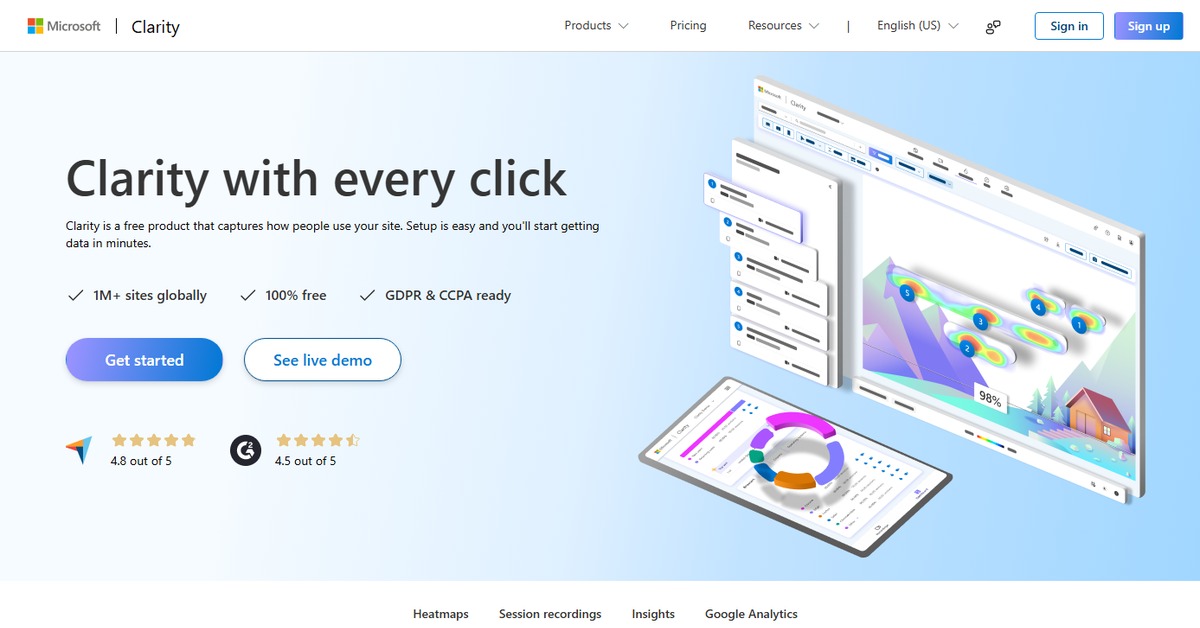
Overview of Microsoft Clarity
Microsoft Clarity is a robust analytics platform that empowers businesses to understand user interactions on their websites through detailed insights and reports. This tool is essential for marketers, product managers, and web developers who seek to enhance user experience and drive conversions. Clarity stands out by offering features like session replays and heatmaps, which allow users to visualize how visitors navigate their sites. By addressing common challenges such as identifying user drop-off points and understanding engagement levels, Microsoft Clarity provides actionable insights that can lead to improved website performance. Its user-friendly interface and integration capabilities make it accessible for teams of all sizes, ensuring that everyone can leverage data to make informed decisions. Whether you are looking to refine your marketing strategies or improve your product offerings, Microsoft Clarity serves as a vital resource for data-driven growth.
Key Features
- Session Replays: View recordings of user sessions to understand their behavior and identify areas for improvement.
- Heatmaps: Visualize where users click, scroll, and spend time on your website, helping you optimize layout and content.
- User Insights: Gain detailed analytics on user demographics, engagement levels, and behavior patterns.
- Integration Capabilities: Easily connect with other tools like WordPress and Zapier for enhanced functionality.
- Custom Reporting: Generate tailored reports that focus on specific metrics and KPIs relevant to your business.
Microsoft Clarity's Pricing
Free Trial, Freemium, Subscription
Pros & Cons
Pros.
- Comprehensive insights into user behavior that help identify pain points and opportunities for improvement.
- User-friendly interface that makes it easy for teams to navigate and utilize the tool effectively.
- Robust features such as session replays and heatmaps that provide a deeper understanding of user interactions.
- Flexible pricing options that cater to different business sizes and needs.
- Strong integration capabilities with popular platforms, enhancing its usability across various applications.
Cons.
- Limited advanced features in the free plan, which may restrict functionality for larger businesses.
- Some users may find the initial setup and integration process slightly complex.
- Data collection may be subject to privacy regulations, requiring careful management of user consent.
- Occasional performance issues reported during high traffic periods.
- Lack of certain advanced analytics features found in more established competitors.
How to Use (Quick Start)
- Visit the Microsoft Clarity website and sign up for an account.
- Integrate Clarity with your website using the provided tracking code.
- Set up your project and define the goals you want to track.
- Explore the dashboard to view real-time analytics and user behavior data.
- Utilize session replays to watch how users interact with your site.
- Analyze heatmaps to identify popular areas of your web pages.
- Generate reports to share insights with your team.
- Continuously monitor and adjust your strategies based on the data collected.
FAQs of Microsoft Clarity
What is Microsoft Clarity used for?
Microsoft Clarity is used for analyzing user behavior on websites, providing insights through session replays, heatmaps, and detailed analytics.
Is Microsoft Clarity free to use?
Yes, Microsoft Clarity offers a free plan with basic features, as well as a subscription plan for advanced capabilities.
How does Clarity track user behavior?
Clarity tracks user behavior through a tracking code that records interactions such as clicks, scrolls, and page views.
Can I integrate Microsoft Clarity with other tools?
Yes, Clarity can be integrated with various platforms, including WordPress and Zapier, to enhance its functionality.
What kind of reports can I generate with Clarity?
You can generate custom reports focusing on specific metrics, user demographics, and engagement levels.
Is my data safe with Microsoft Clarity?
Microsoft Clarity adheres to privacy regulations, but it is important to manage user consent and data collection practices.
What are the main benefits of using Microsoft Clarity?
The main benefits include gaining deep insights into user behavior, improving website performance, and optimizing user experience.
Related AI Tools
No results found.