
- Company: SonarSource
- Platforms: Web, Chrome Extension, VS Code
- Updated on: December 22, 2025
- Status: Unverified
- Company: SonarSource
- Updated At: December 22, 2025
- Editor Rating: 4.6
- Platform: Web, Chrome Extension, VS Code
SonarQube AI offers advanced code quality analysis and bug detection, helping developers maintain high standards in software development.
- Analyzer, Assistant, Framework

Overview of SonarQube AI
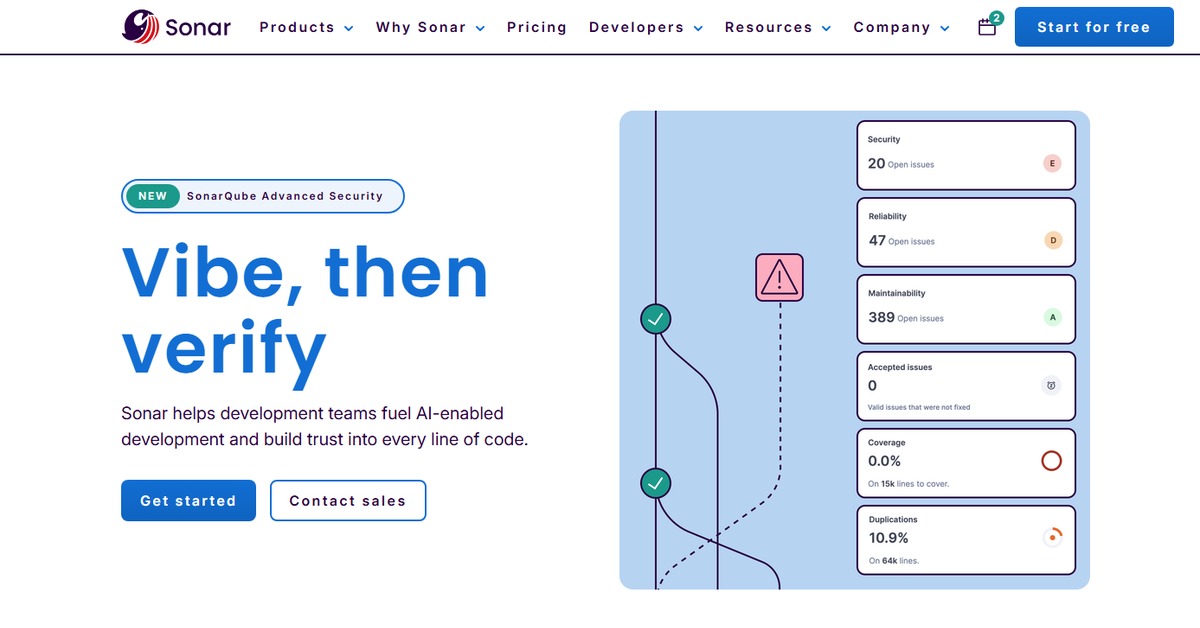
SonarQube AI is an advanced framework designed to enhance code quality through automated analysis and insights. It matters significantly in today’s fast-paced development environments, where maintaining code quality is crucial for successful software delivery. By identifying bugs, vulnerabilities, and code smells, SonarQube AI helps developers address issues before they escalate into larger problems. This tool is particularly beneficial for software development teams looking to streamline their code review processes and ensure adherence to best practices. Its unique capabilities include real-time feedback, integration with popular development environments, and comprehensive reporting features. Practical use cases range from continuous integration pipelines to standalone code reviews, providing developers with actionable insights that lead to cleaner, more maintainable code. The realistic benefits include reduced technical debt, improved team collaboration, and enhanced overall software quality.
Key Features
- Real-time Code Analysis: Provides immediate feedback on code quality, allowing developers to fix issues as they code.
- Comprehensive Reporting: Generates detailed reports that highlight bugs, vulnerabilities, and code smells.
- Integration with Development Tools: Seamlessly integrates with popular IDEs like VSCode and Chrome for enhanced usability.
- Customizable Quality Gates: Allows teams to define specific criteria for code quality, ensuring compliance with standards.
- Historical Data Tracking: Keeps track of code quality over time, enabling teams to monitor improvements and regressions.
Pros & Cons
Pros.
- Enhances code quality through automated analysis, reducing manual review time.
- Integrates well with existing development workflows, making it easy to adopt.
- Offers actionable insights that help developers prioritize fixes based on severity.
- Supports multiple programming languages, catering to diverse development teams.
- Provides a user-friendly interface that simplifies navigation and report interpretation.
Cons.
- May require initial setup time to integrate with existing systems.
- Advanced features are locked behind paid plans, limiting access for some users.
- Can generate false positives, requiring developers to manually verify some findings.
- Performance may vary based on the size of the codebase being analyzed.
- Limited support for certain niche programming languages compared to broader offerings.
How to Use (Quick Start)
- Sign up for a SonarQube account.
- Install the SonarQube scanner in your development environment.
- Configure your project settings in the SonarQube dashboard.
- Run the scanner on your codebase to initiate analysis.
- Review the generated reports for insights on code quality.
- Address identified issues and improve your code accordingly.
- Integrate SonarQube with your CI/CD pipeline for continuous monitoring.
FAQs of SonarQube AI
What programming languages does SonarQube AI support?
SonarQube AI supports a wide range of programming languages, including Java, C#, JavaScript, Python, and more.
Is there a free trial available for SonarQube AI?
Yes, SonarQube offers a free plan with basic features, allowing users to explore its capabilities.
How does SonarQube AI integrate with CI/CD pipelines?
SonarQube AI can be integrated into CI/CD pipelines through its scanner, which can be configured to run during build processes.
Can I customize the quality gates in SonarQube AI?
Yes, users can define custom quality gates to set specific criteria for code quality and compliance.
What type of reports does SonarQube AI generate?
SonarQube AI generates detailed reports that include metrics on bugs, vulnerabilities, code smells, and overall code health.
Is SonarQube AI suitable for small teams?
Absolutely, SonarQube AI is beneficial for teams of all sizes, providing essential tools for maintaining code quality.
How often should I run SonarQube AI analysis on my code?
It's recommended to run SonarQube AI analysis regularly, ideally with every code commit or during scheduled builds.
Related AI Tools
No results found.