
- Company: Asana
- Platforms: Web, Chrome Extension, iOS, Android
- Updated on: December 30, 2025
- Status: Unverified
- Company: Asana
- Updated At: December 30, 2025
- Editor Rating: 4.6
- Platform: Web, Chrome Extension, iOS, Android
Asana AI streamlines project management and enhances team collaboration through intelligent automation and insights.
- Assistant, Other
Overview of Asana AI
Asana AI is a powerful tool designed to enhance project management and team collaboration by leveraging artificial intelligence. It provides users with intelligent insights and automation features that help streamline workflows, prioritize tasks, and improve overall productivity. This tool is particularly beneficial for teams looking to enhance their project management capabilities without the complexity of traditional software. Asana AI addresses common challenges such as task prioritization, deadline management, and team communication, making it an invaluable asset for project managers, team leaders, and organizations of all sizes. Its unique capabilities include AI-driven task recommendations, automated reporting, and seamless integration with other tools, allowing users to focus on what matters most. Practical use cases include managing marketing campaigns, software development projects, and event planning, where efficient collaboration and clear visibility into progress are essential. The realistic benefits of using Asana AI include improved efficiency, enhanced communication, and a more organized approach to managing tasks and projects.
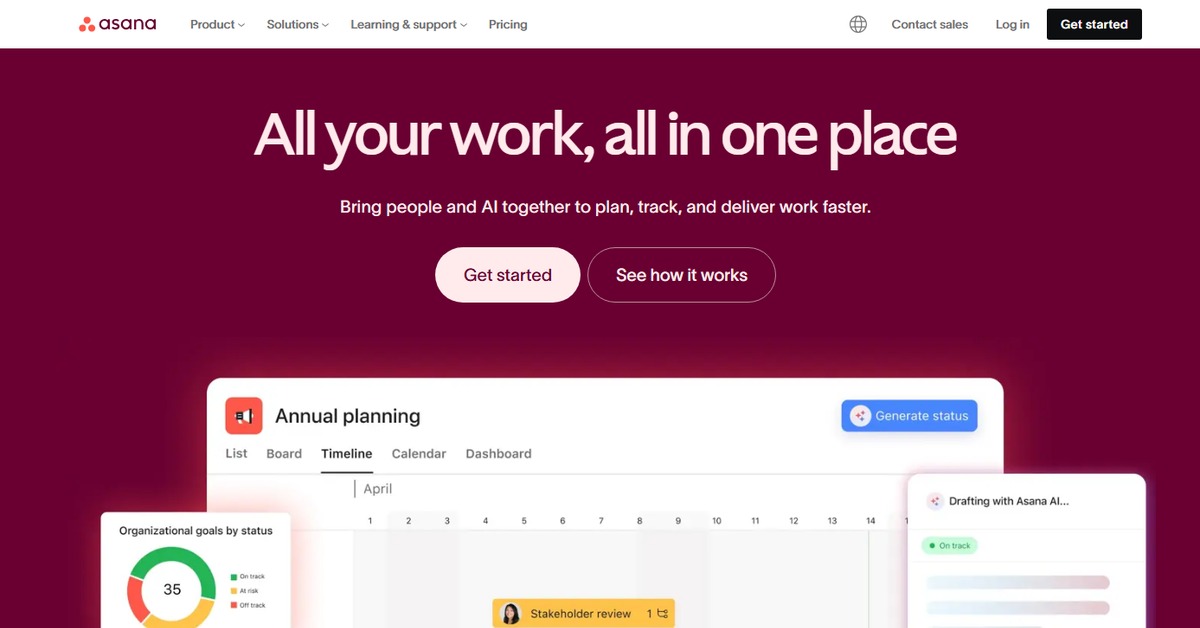
Key Features
- AI-Driven Task Recommendations: Automatically suggests task priorities based on deadlines and project goals.
- Automated Reporting: Generates reports on project progress and team performance without manual input.
- Collaboration Tools: Facilitates communication and task assignment among team members.
- Customizable Dashboards: Allows users to tailor their workspace according to project needs.
- Integration Capabilities: Connects seamlessly with other tools like WordPress and Zapier for enhanced functionality.
Pros & Cons
Pros.
- Intuitive user interface that simplifies project management.
- Powerful AI features that enhance productivity and decision-making.
- Flexible pricing options catering to different team sizes and needs.
- Strong integration capabilities with popular tools, enhancing workflow.
- Robust reporting features that provide valuable insights into team performance.
Cons.
- Some advanced features may require a paid subscription.
- Initial setup may take time for larger teams.
- Limited offline capabilities, requiring internet access for full functionality.
- Some users may find the AI recommendations not always aligned with their specific needs.
- Can become overwhelming for new users due to its extensive features.
How to Use (Quick Start)
- Sign up for an Asana account on the website.
- Create a new project or select an existing one.
- Input your tasks and deadlines into the project.
- Utilize the AI features to prioritize tasks based on urgency and importance.
- Collaborate with team members by assigning tasks and setting due dates.
- Monitor progress through automated reporting tools.
- Adjust project plans based on insights provided by the AI.
- Review completed tasks and gather feedback for future projects.
FAQs of Asana AI
What is Asana AI used for?
Asana AI is used for enhancing project management and team collaboration through intelligent automation and insights.
Is there a free version of Asana AI?
Yes, Asana AI offers a free version with basic features.
How does Asana AI improve productivity?
It improves productivity by providing AI-driven task recommendations and automated reporting.
Can Asana AI integrate with other tools?
Yes, it integrates with various tools like WordPress and Zapier.
What types of projects can I manage with Asana AI?
You can manage a wide range of projects, including marketing campaigns, software development, and event planning.
Are there any limitations to the free version?
The free version has limited features compared to the paid plans.
How can I get support for Asana AI?
Support is available through the Asana website, including help articles and customer service.
Related AI Tools
No results found.