
- Company: Ideogram
- Platforms: Web, Web Browser
- Updated on: December 30, 2025
- Status: Unverified
- Company: Ideogram
- Updated At: December 30, 2025
- Editor Rating: 4.6
- Platform: Web, Web Browser
Ideogram is an AI-driven tool that simplifies the creation of visual content, making it accessible for everyone from marketers to designers.
- Generator, Assistant
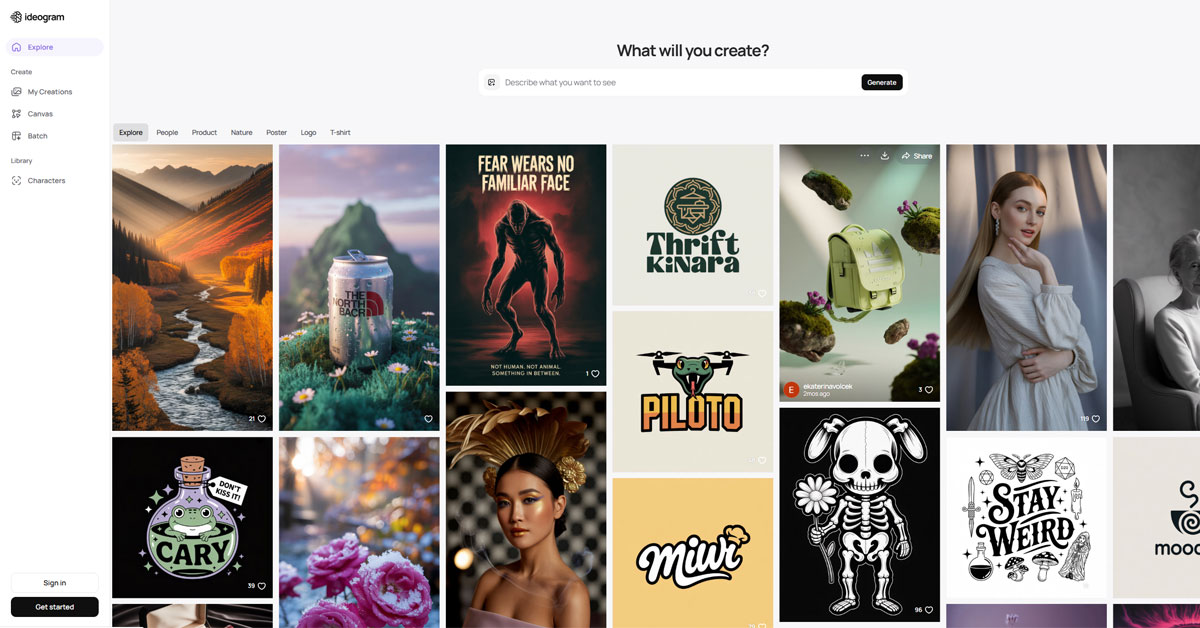
Overview of Ideogram
Ideogram is an innovative AI-powered tool designed to streamline the process of creating visual content. By leveraging advanced algorithms, it transforms simple text prompts into stunning graphics, infographics, and other visual formats. This tool is particularly valuable for marketers, content creators, and businesses looking to enhance their visual communication without needing extensive design skills. Ideogram addresses common challenges such as time constraints and the need for high-quality visuals by offering a user-friendly interface and powerful design capabilities. Its unique approach allows users to generate professional-grade visuals quickly, making it an essential asset for anyone looking to elevate their content strategy. With practical applications ranging from social media posts to marketing materials, Ideogram delivers realistic benefits that can significantly improve engagement and brand visibility.
Key Features
- AI-Powered Design Generation: Automatically creates visuals based on text prompts, saving time and effort.
- User-Friendly Interface: Intuitive design tools that cater to users of all skill levels.
- Customizable Templates: A wide range of templates that can be tailored to fit specific branding needs.
- Collaboration Tools: Share designs with team members for real-time feedback and edits.
- Analytics Integration: Track the performance of your visuals across different platforms.
Pros & Cons
Pros.
- Rapid content creation that significantly reduces design time.
- High-quality outputs that can compete with professional designs.
- Flexible pricing options that cater to both casual users and businesses.
- Strong community support and resources for learning.
- Regular updates and feature enhancements based on user feedback.
Cons.
- Some advanced features may require a paid subscription.
- Limited offline capabilities, reliant on internet access.
- Initial learning curve for users unfamiliar with design tools.
- Occasional inconsistencies in design quality based on input prompts.
- Not all templates may fit every niche or industry perfectly.
How to Use (Quick Start)
- Visit the Ideogram website and sign up for an account.
- Choose your desired plan based on your needs.
- Log in to your dashboard.
- Select the type of visual content you want to create.
- Input your text prompt to guide the design.
- Customize the generated visuals using available tools.
- Download or share your finished design directly from the platform.
FAQs of Ideogram
What is Ideogram used for?
Ideogram is used for creating visual content from text prompts, making it ideal for marketers, content creators, and businesses.
Is there a free version of Ideogram?
Yes, Ideogram offers a free plan with basic features for users to get started.
Can I collaborate with others on Ideogram?
Yes, Ideogram includes collaboration tools that allow you to share designs and receive feedback.
What types of visuals can I create with Ideogram?
You can create infographics, social media posts, presentations, and more.
How does Ideogram handle customization?
Ideogram provides customizable templates and design tools to tailor visuals to your needs.
Is Ideogram suitable for beginners?
Absolutely, Ideogram is designed to be user-friendly, making it accessible for beginners.
What are the payment options for the Pro plan?
The Pro plan is available for a monthly fee, with options for annual subscriptions at discounted rates.
Related AI Tools
No results found.