
- Company: Mixpanel
- Platforms: Web, Web Browser
- Updated on: February 23, 2026
- Status: Unverified
- Company: Mixpanel
- Updated At: February 23, 2026
- Editor Rating: 4.6
- Platform: Web, Web Browser
Mixpanel Signals offers a powerful framework for advanced analytics, enabling businesses to derive actionable insights from their data.
- Analyzer, Assistant, Framework
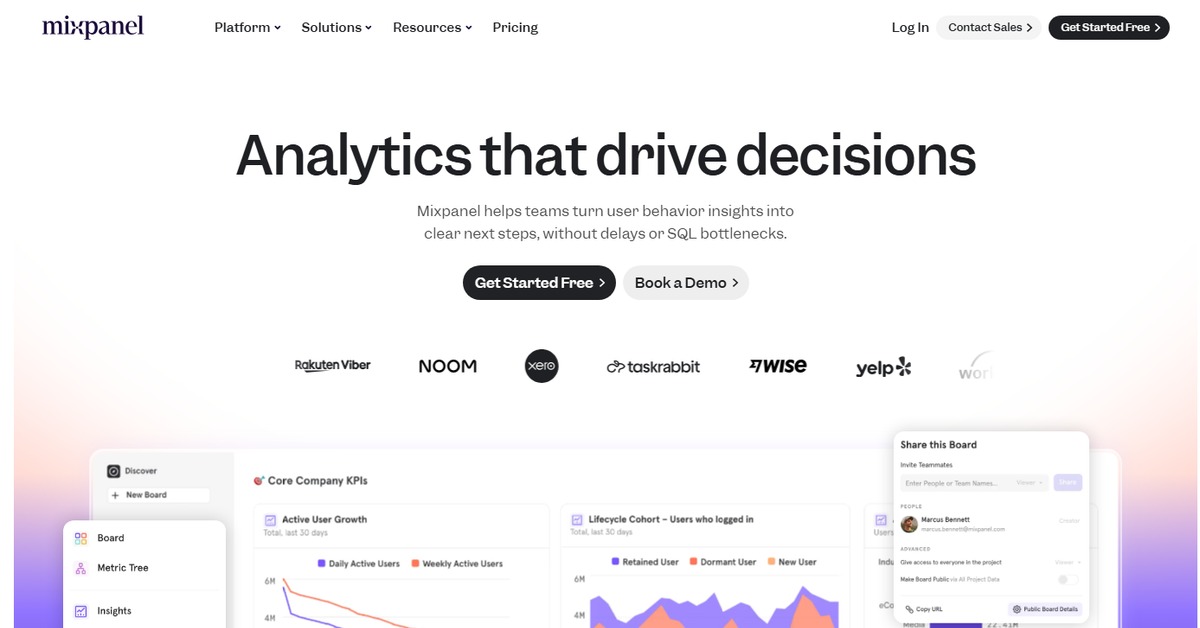
Overview of Mixpanel Signals
Mixpanel Signals is a sophisticated analytics framework designed to empower businesses with deep insights into user behavior and engagement. By leveraging advanced data analysis techniques, it helps organizations identify trends, optimize user experiences, and make informed decisions based on real-time data. This tool is particularly valuable for product managers, marketers, and data analysts who seek to understand user interactions and improve retention rates. With its unique capabilities, such as cohort analysis and funnel tracking, Mixpanel Signals provides a comprehensive view of user journeys, enabling teams to pinpoint areas for improvement. The practical applications of this tool are vast, ranging from enhancing product features to tailoring marketing strategies, ultimately driving growth and customer satisfaction.
Key Features
- Cohort Analysis: Track user behavior over time to identify trends and patterns.
- Funnel Tracking: Visualize user journeys to understand where drop-offs occur.
- Real-Time Data: Access up-to-the-minute analytics for timely decision-making.
- Custom Dashboards: Create tailored views of your data for specific insights.
- Automated Reports: Schedule regular reports to keep your team informed.
Pros & Cons
Pros.
- Powerful analytics capabilities that provide deep insights into user behavior.
- User-friendly interface that simplifies complex data analysis.
- Robust integration options with other tools and platforms.
- Flexible pricing plans that cater to different business sizes.
- Strong customer support and resources for users.
Cons.
- Can be overwhelming for new users due to its extensive features.
- Pricing may be high for smaller businesses or startups.
- Some advanced features require a learning curve to fully utilize.
- Limited offline capabilities; primarily web-based.
- Data privacy concerns for sensitive information.
How to Use (Quick Start)
- Sign up for a Mixpanel account.
- Import your data via CSV, document, or API.
- Define your key metrics and goals.
- Utilize the analysis tools to explore user behavior.
- Generate reports based on your findings.
- Share insights with your team for collaborative decision-making.
- Continuously monitor user engagement and adjust strategies accordingly.
FAQs of Mixpanel Signals
What types of data can I input into Mixpanel Signals?
You can input data through CSV files, documents, or via API integrations.
What kind of outputs can I expect from Mixpanel Signals?
The tool provides outputs such as detailed analysis, comprehensive reports, and actionable insights.
Is there a free trial available for Mixpanel Signals?
Yes, Mixpanel offers a free plan with basic features to get you started.
Who can benefit from using Mixpanel Signals?
Product managers, marketers, and data analysts can all benefit from the insights provided by Mixpanel Signals.
How does Mixpanel Signals handle data privacy?
Mixpanel takes data privacy seriously and complies with industry standards to protect user information.
Can I integrate Mixpanel Signals with other tools?
Yes, Mixpanel Signals integrates with various platforms such as WordPress, Zapier, and Google Analytics.
What support options are available for Mixpanel Signals users?
Mixpanel offers customer support through various channels, including documentation, chat, and email.
Related AI Tools
No results found.