
- Company: Murf
- Platforms: Web, Web Browser
- Updated on: December 24, 2025
- Status: Unverified
- Company: Murf
- Updated At: December 24, 2025
- Editor Rating: 4.6
- Platform: Web, Web Browser
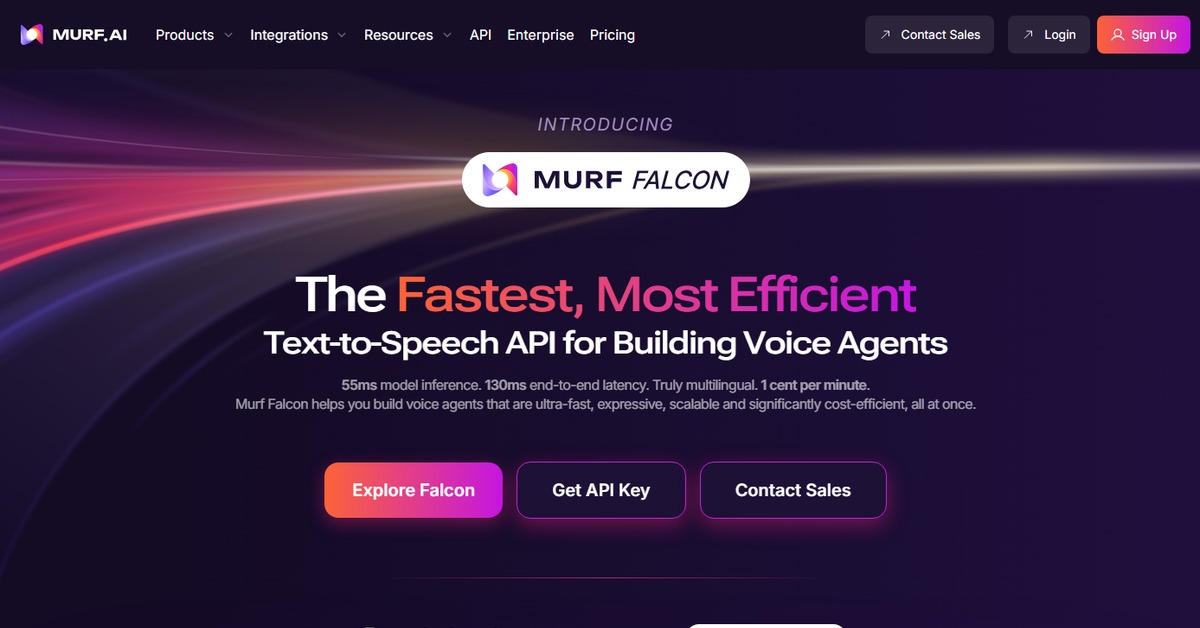
Murf.ai is an innovative AI tool designed for seamless voiceover generation and audio editing, ideal for content creators and marketers.
- Generator
Overview of Murf.ai
Murf.ai is a cutting-edge AI tool that specializes in voiceover generation and audio editing. It empowers content creators, marketers, and educators by providing a platform to produce high-quality audio content effortlessly. With its intuitive interface and advanced features, Murf.ai addresses the common challenges of audio production, such as time consumption and the need for professional voice talent. Users can create engaging voiceovers for videos, presentations, and podcasts, making it a versatile solution for various industries. The tool stands out with its unique capabilities, including a wide range of voice options and customization features, ensuring that users can find the perfect tone for their projects. Whether you’re a seasoned professional or a beginner, Murf.ai offers practical use cases that enhance productivity and creativity, ultimately leading to more impactful content.
Key Features
- Diverse Voice Options: Murf.ai offers a wide selection of realistic voice options, allowing users to choose the perfect tone for their content.
- Text-to-Speech Capabilities: The tool converts written text into high-quality audio, making it easy to create voiceovers for various applications.
- Audio Editing Tools: Users can edit and enhance their audio files directly within the platform, streamlining the production process.
- Custom Voice Creation: Murf.ai allows users to customize voices to match their brand or project needs, providing a unique audio experience.
- User-Friendly Interface: The platform is designed for ease of use, enabling users of all skill levels to navigate and create audio content effortlessly.
Pros & Cons
Pros.
- High-Quality Audio Output: Murf.ai produces professional-grade audio, making it suitable for commercial projects.
- Time Efficiency: The AI-driven process significantly reduces the time required to create voiceovers compared to traditional methods.
- Flexibility: The tool caters to a wide range of applications, from educational content to marketing materials.
- Customization Options: Users can tailor voice settings to fit specific project requirements, enhancing personalization.
- Regular Updates: The platform frequently adds new features and voices, ensuring users have access to the latest technology.
Cons.
- Limited Free Features: The free version may not include all advanced functionalities, which could limit some users.
- Learning Curve: New users may require some time to fully understand all features and capabilities.
- Internet Dependency: As a web-based tool, a stable internet connection is necessary for optimal performance.
- Voice Limitations: While diverse, the selection of voices may not cover every accent or dialect users might need.
- Pricing for Advanced Features: Users seeking premium features must upgrade to a paid plan, which may not fit all budgets.
How to Use (Quick Start)
- Visit the Murf.ai website and sign up for an account.
- Select the type of project you want to create (e.g., voiceover, audio editing).
- Input your text or prompt into the provided text box.
- Choose your preferred voice and adjust settings as needed.
- Preview the audio to ensure it meets your expectations.
- Download the final audio file or share it directly to your preferred platform.
- Explore additional features like audio editing to refine your project further.
FAQs of Murf.ai
What types of projects can I create with Murf.ai?
Murf.ai is versatile and can be used for voiceovers in videos, podcasts, presentations, and more.
Is there a free trial available?
Yes, Murf.ai offers a free plan with basic features, allowing users to explore the tool.
Can I customize the voice options?
Absolutely! Murf.ai allows users to customize voice settings to better match their project needs.
How do I download my audio files?
After creating your audio, you can easily download it in various formats directly from the platform.
Does Murf.ai support multiple languages?
Yes, Murf.ai supports multiple languages, making it accessible for a global audience.
What if I encounter issues while using the tool?
Murf.ai provides customer support to assist users with any technical difficulties.
Are there any integrations available?
Yes, Murf.ai integrates with platforms like WordPress and Zapier for enhanced functionality.
Related AI Tools
No results found.