
- Company: QuillBot
- Platforms: Web, Web Browser, Figma
- Updated on: December 29, 2025
- Status: Unverified
- Company: QuillBot
- Updated At: December 29, 2025
- Editor Rating: 4.6
- Platform: Web, Web Browser, Figma
QuillBot is an AI writing assistant that helps users improve their writing through paraphrasing, summarizing, and grammar checking.
- Generator, Assistant, Editor
Overview of QuillBot
QuillBot is an advanced AI writing tool designed to assist users in enhancing their writing quality. It employs sophisticated algorithms to paraphrase text, summarize content, and check grammar, making it an essential tool for students, professionals, and anyone looking to refine their writing skills. By providing real-time suggestions and corrections, QuillBot addresses common writing challenges such as clarity, conciseness, and coherence. Its unique capabilities include a user-friendly interface and integration with various platforms like WordPress and Google Docs, allowing for seamless writing experiences. QuillBot is particularly beneficial for students who need to paraphrase academic papers, professionals drafting reports, and content creators aiming for originality while maintaining their voice. The tool’s practical applications extend to enhancing productivity and ensuring high-quality writing across different contexts.
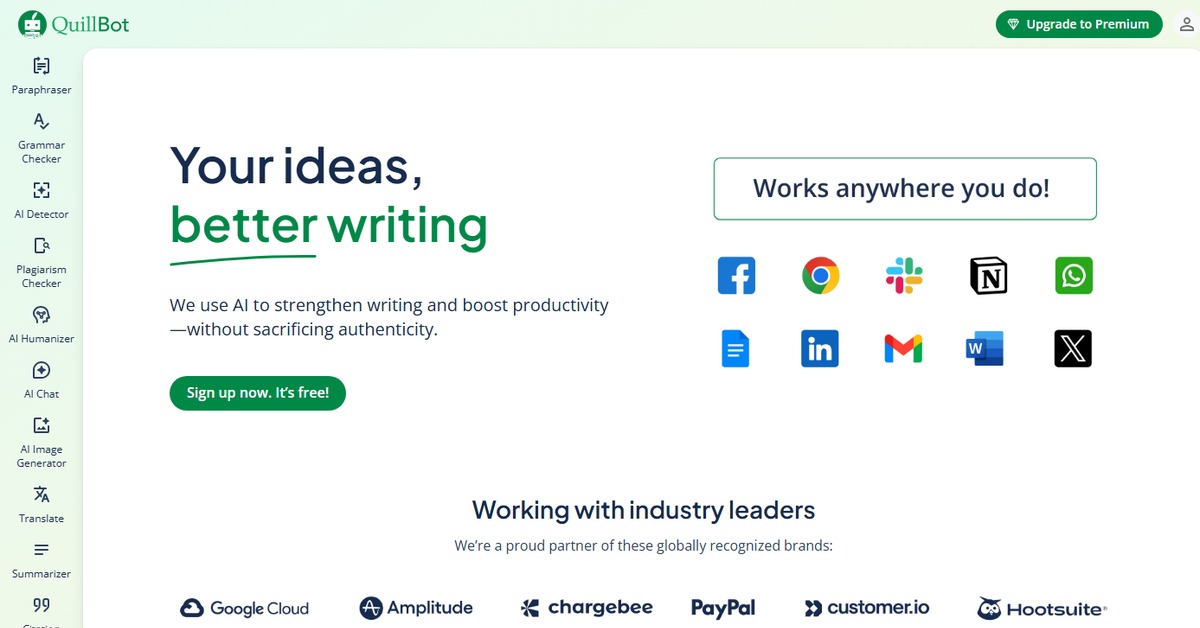
Key Features
- Paraphrasing Tool: Allows users to rephrase sentences and paragraphs while maintaining the original meaning, enhancing clarity and style.
- Summarizer: Condenses long texts into concise summaries, making it easier to grasp key points quickly.
- Grammar Checker: Identifies and corrects grammatical errors, ensuring polished and professional writing.
- Integration Capabilities: Works seamlessly with platforms like WordPress and Google Docs, streamlining the writing process.
- Customizable Settings: Users can adjust the level of paraphrasing and summarization to suit their specific needs.
Pros & Cons
Pros.
- Highly effective at improving writing quality through advanced AI algorithms.
- User-friendly interface that makes it accessible for all skill levels.
- Offers a free version with essential features, making it budget-friendly.
- Real-time feedback helps users learn and improve their writing skills.
- Integration with popular platforms enhances usability and convenience.
Cons.
- The free version has limited features compared to the Pro version.
- Occasional inaccuracies in paraphrasing that may require manual adjustments.
- Some users may find the interface overwhelming due to the variety of options.
- Limited support for languages other than English.
- The subscription cost for the Pro version may be a barrier for some users.
How to Use (Quick Start)
- Visit the QuillBot website and sign up for an account.
- Choose the tool you want to use: Paraphraser, Summarizer, or Grammar Checker.
- Input your text into the designated area.
- Select your desired settings, such as the level of paraphrasing.
- Click the ‘Paraphrase’ or ‘Summarize’ button to generate results.
- Review the output and make any necessary adjustments.
- Download or copy your improved text for use.
- Explore additional features like the citation generator if needed.
FAQs of QuillBot
What is QuillBot used for?
QuillBot is primarily used for paraphrasing, summarizing, and grammar checking to improve writing quality.
Is there a free version of QuillBot?
Yes, QuillBot offers a free version with basic features, allowing users to try the tool before committing to a paid plan.
Can I use QuillBot for academic writing?
Absolutely! QuillBot is particularly useful for students who need to paraphrase or summarize academic texts.
How does QuillBot ensure the originality of paraphrased content?
QuillBot uses advanced algorithms to generate unique variations of the input text, helping to maintain originality.
What platforms does QuillBot integrate with?
QuillBot integrates with platforms like WordPress and Google Docs, making it versatile for various writing tasks.
Is QuillBot suitable for non-native English speakers?
Yes, QuillBot can assist non-native speakers by providing suggestions that enhance their writing clarity and correctness.
What are the pricing options for QuillBot?
QuillBot offers a freemium model with a free version and a Pro version priced at $14.95 per month, which includes advanced features.
Related AI Tools
No results found.