
- Company: Picsart
- Platforms: Web, Web Browser, iOS, Android
- Updated on: December 24, 2025
- Status: Unverified
- Company: Picsart
- Updated At: December 24, 2025
- Editor Rating: 4.6
- Platform: Web, Web Browser, iOS, Android
Picsart AI is a powerful tool for image editing and design generation, offering unique features that cater to both casual users and professionals.
- Editor
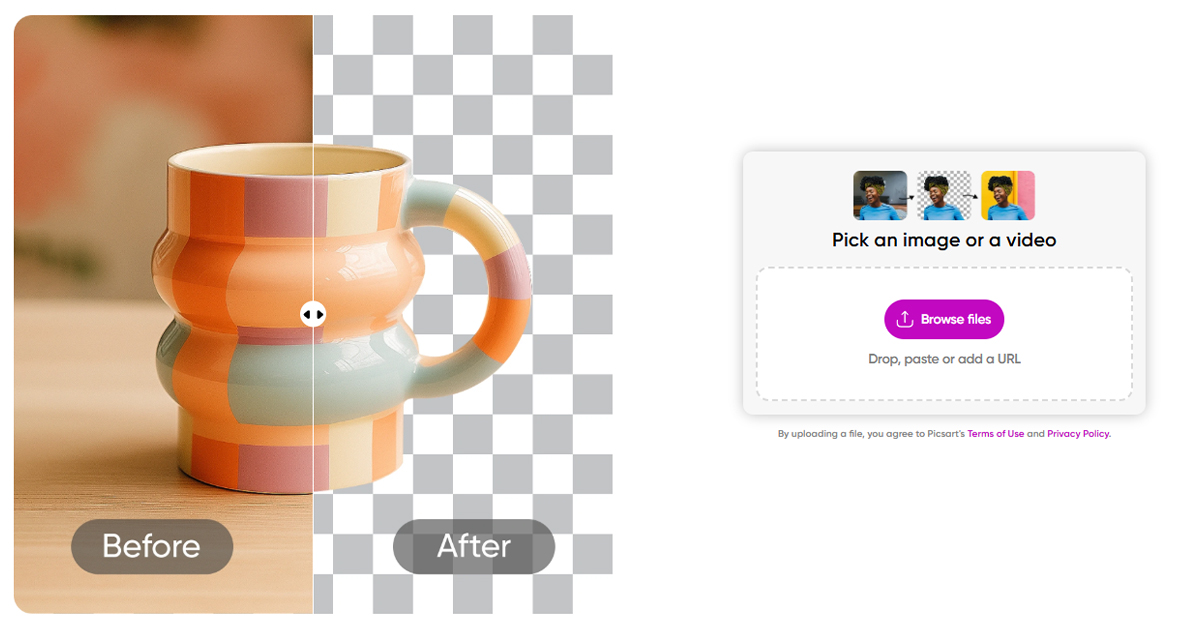
Overview of Remove Background by Picsart
Picsart AI is an innovative design tool that leverages artificial intelligence to streamline the image editing and creation process. It is designed for both casual users and professional designers, providing a range of features that simplify complex tasks. With its intuitive interface, users can generate stunning visuals, edit images seamlessly, and create unique designs tailored to their needs. The tool addresses common challenges in design, such as time constraints and the need for high-quality outputs, making it an essential resource for marketers, content creators, and businesses. Its unique capabilities include AI-driven suggestions, extensive editing tools, and integration with popular platforms like Figma. Practical use cases range from social media content creation to marketing materials, allowing users to enhance their visual storytelling effortlessly. The realistic benefits include increased productivity, enhanced creativity, and access to advanced design features without the steep learning curve typically associated with professional design software.
Key Features
- AI-Powered Editing: Utilize advanced AI algorithms to enhance images automatically, saving time and effort.
- Customizable Templates: Access a library of templates that can be tailored to fit various design needs.
- Collaboration Tools: Share projects with team members and collaborate in real-time to streamline workflows.
- Integration with Figma: Seamlessly integrate your designs with Figma for enhanced collaboration and design capabilities.
- User-Friendly Interface: Designed for ease of use, allowing users of all skill levels to create stunning visuals effortlessly.
Pros & Cons
Pros.
- Versatile Features: Offers a wide range of tools suitable for both casual users and professionals.
- Time Efficiency: AI-driven features significantly reduce the time required for complex design tasks.
- High-Quality Outputs: Produces professional-grade designs that meet industry standards.
- Strong Community Support: Active user community provides tips, tutorials, and inspiration.
- Flexible Pricing: Offers both free and paid plans, catering to different user needs and budgets.
Cons.
- Learning Curve: Some advanced features may require time to master, especially for beginners.
- Limited Free Features: The free version may not include all advanced tools available in the paid plan.
- Internet Dependency: Requires a stable internet connection for optimal performance.
- Occasional Bugs: Users may encounter minor bugs or glitches during usage.
- Storage Limitations: Free plan users may face restrictions on storage and project size.
How to Use (Quick Start)
- Visit the Picsart AI website and sign up for an account.
- Choose the type of project you want to start (image editing, design generation).
- Upload your images or enter your text prompts.
- Utilize the AI tools to enhance or create your designs.
- Preview your work and make adjustments as necessary.
- Download or share your final product directly from the platform.
FAQs of Remove Background by Picsart
What types of inputs does Picsart AI accept?
Picsart AI accepts images, text, and prompts as inputs for editing and design generation.
Can I use Picsart AI for commercial purposes?
Yes, you can use Picsart AI for commercial projects, but check the licensing terms for specific details.
Is there a mobile version of Picsart AI?
Currently, Picsart AI is primarily available on web and browser platforms.
What are the pricing options for Picsart AI?
Picsart AI offers a freemium model with a free plan and a paid Pro plan for advanced features.
Does Picsart AI integrate with other tools?
Yes, Picsart AI integrates with platforms like WordPress and Zapier for enhanced functionality.
How does the AI editing feature work?
The AI editing feature analyzes your images and applies enhancements automatically based on best practices.
Can I collaborate with others using Picsart AI?
Yes, Picsart AI includes collaboration tools that allow you to share and work on projects with others in real-time.
Related AI Tools
No results found.