
- Company: Rollbar
- Platforms: Web, Chrome Extension, VS Code
- Updated on: January 19, 2026
- Status: Unverified
- Company: Rollbar
- Updated At: January 19, 2026
- Editor Rating: 4.6
- Platform: Web, Chrome Extension, VS Code
Rollbar AI offers robust error monitoring and debugging solutions for developers, enhancing code quality and application performance.
- Framework
Overview of Rollbar AI
Rollbar AI is a powerful framework designed to assist developers in monitoring and debugging their applications in real-time. It plays a crucial role in identifying and resolving errors quickly, which is vital for maintaining high-quality software. By providing detailed insights into application performance and error occurrences, Rollbar AI helps teams to minimize downtime and enhance user experience. This tool is particularly beneficial for software developers, QA engineers, and DevOps teams who require a reliable solution for tracking issues across various environments. Unique capabilities include real-time error tracking, automated notifications, and integration with popular development tools. Practical use cases range from web applications to mobile software, ensuring that developers can maintain optimal performance and user satisfaction. The realistic benefits include reduced debugging time, improved application reliability, and enhanced team collaboration through integrated workflows.
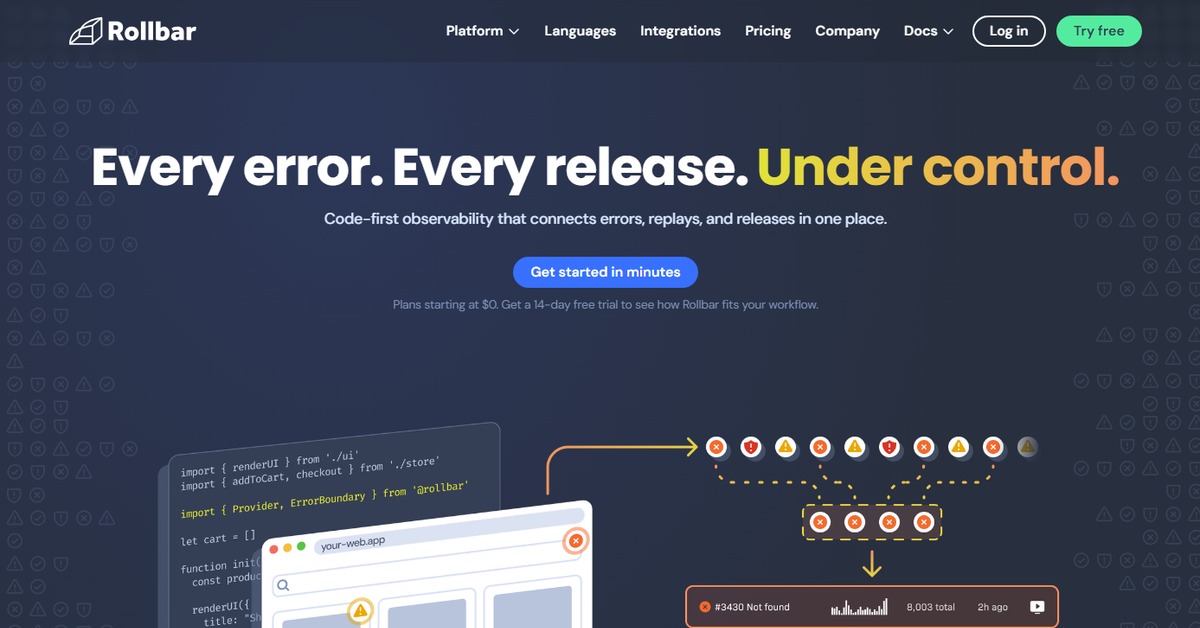
Key Features
- Real-time Error Tracking - Instantly captures and reports errors as they occur in your application.
- Detailed Error Analysis - Provides in-depth insights into error occurrences, including stack traces and affected users.
- Integration with Development Tools - Seamlessly integrates with platforms like GitHub, Slack, and Jira for streamlined workflows.
- Automated Notifications - Sends alerts to your team via email or messaging platforms when critical errors arise.
- Customizable Dashboards - Offers personalized dashboards to visualize error trends and application performance metrics.
Pros & Cons
Pros.
- Comprehensive error tracking that helps identify issues before they affect users.
- User-friendly interface that simplifies monitoring and debugging processes.
- Strong integration capabilities with popular development tools enhance team collaboration.
- Real-time notifications ensure that teams can respond quickly to critical issues.
- Flexible pricing plans cater to both small teams and larger enterprises.
Cons.
- Some advanced features may require a higher-tier subscription.
- Initial setup can be complex for users unfamiliar with SDK integration.
- Limited customization options for error reporting in the free plan.
- Performance may vary depending on the volume of errors tracked.
- Support response times can be slow during peak hours.
How to Use (Quick Start)
- Sign up for a Rollbar account on the website.
- Integrate Rollbar into your application using the provided SDK.
- Configure your project settings to customize error tracking.
- Deploy your application with Rollbar integrated.
- Monitor real-time error reports and analytics on the Rollbar dashboard.
- Utilize the insights to debug and resolve issues efficiently.
- Set up notifications to stay informed about critical errors.
FAQs of Rollbar AI
What types of applications can Rollbar monitor?
Rollbar can monitor web applications, mobile apps, and server-side applications across various programming languages.
Is there a free trial available for Rollbar?
Yes, Rollbar offers a free plan with basic features to help you get started.
How does Rollbar integrate with my existing development tools?
Rollbar provides SDKs and plugins for popular tools like GitHub, Slack, and Jira for seamless integration.
Can I customize error notifications in Rollbar?
Yes, you can configure notifications to be sent via email or through messaging platforms based on your preferences.
What kind of support does Rollbar offer?
Rollbar provides email support, and higher-tier plans include priority support options.
How does Rollbar handle sensitive data in error reports?
Rollbar allows you to configure data scrubbing to remove sensitive information from error reports.
Can I use Rollbar for open-source projects?
Yes, Rollbar can be used for open-source projects, and there are specific plans available for such initiatives.
Related AI Tools
No results found.