
- Company: Runway
- Platforms: Web
- Updated on: December 24, 2025
- Status: Unverified
- Company: Runway
- Updated At: December 24, 2025
- Editor Rating: 4.6
- Platform: Web
Runway offers AI-powered tools for creative professionals, enhancing content creation through innovative features and a user-friendly interface.
- Generator, Editor

Overview of Runway
Runway is a cutting-edge AI tool designed to empower creators in the fields of video editing, image generation, and content creation. It harnesses the power of artificial intelligence to streamline workflows, enhance creativity, and solve common challenges faced by content creators. Whether you are a filmmaker, graphic designer, or social media manager, Runway provides unique capabilities that allow you to produce high-quality content efficiently. The platform is particularly beneficial for those looking to save time on repetitive tasks while maintaining a high standard of creativity. With features that support collaboration and integration with popular tools, Runway stands out as a versatile solution for modern creators. Its practical use cases range from generating engaging video content to creating stunning visuals, making it an essential tool for anyone in the creative industry.
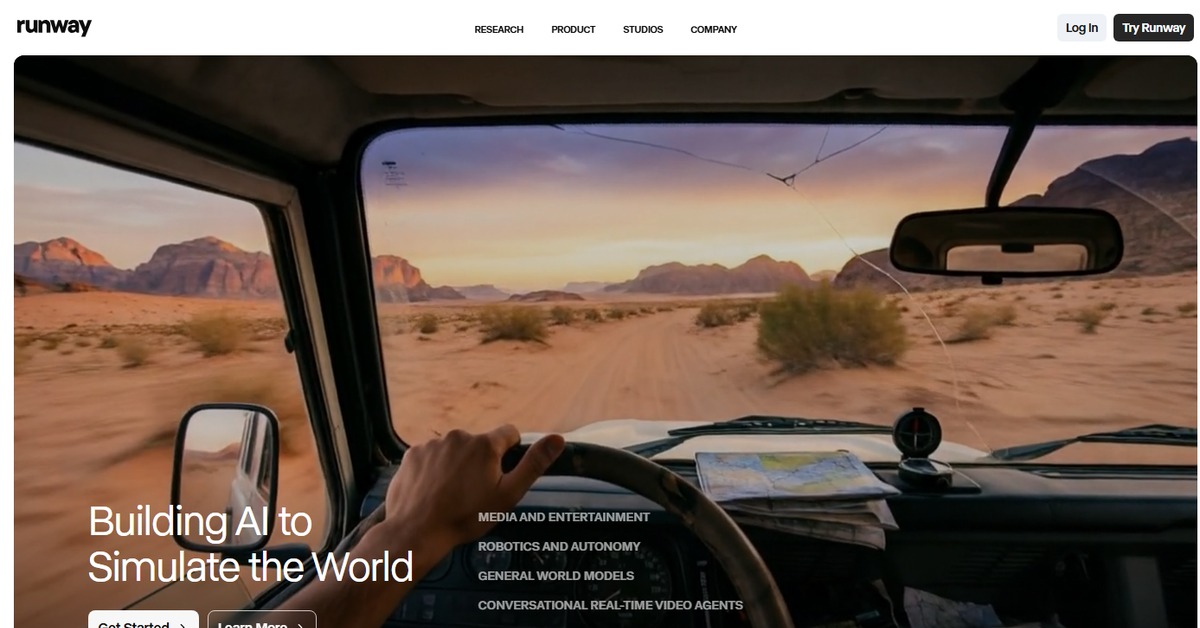
Key Features
- AI-Powered Video Editing: Automate video editing tasks with AI assistance, allowing for faster production times.
- Image Generation: Create stunning visuals from text prompts, perfect for marketing and social media.
- Collaboration Tools: Work seamlessly with team members on projects, enhancing productivity.
- User-Friendly Interface: Intuitive design that simplifies the content creation process for all skill levels.
- Flexible Export Options: Easily export your projects in various formats to suit different platforms.
Pros & Cons
Pros.
- Highly innovative features that leverage AI to enhance creativity.
- User-friendly interface that caters to both beginners and advanced users.
- Strong collaboration capabilities, making it ideal for team projects.
- Flexible pricing plans that accommodate different user needs.
- Regular updates and improvements based on user feedback.
Cons.
- Some advanced features may require a learning curve for new users.
- Limited offline capabilities, relying heavily on internet access.
- The free plan may lack some essential features for professional use.
- Performance can vary based on the complexity of the project.
- Integration with third-party tools may not cover all user needs.
How to Use (Quick Start)
- Visit the Runway website and sign up for an account.
- Choose your desired plan based on your needs.
- Access the dashboard and select the type of project you want to create.
- Input your text or prompt to guide the AI.
- Utilize the editing tools to refine your content.
- Preview your project and make any necessary adjustments.
- Export or share your finished content directly from the platform.
FAQs of Runway
What types of projects can I create with Runway?
Runway supports a variety of projects including video editing, image generation, and content creation.
Is there a free version of Runway?
Yes, Runway offers a free plan with basic features suitable for casual users.
Can I collaborate with others on Runway?
Absolutely! Runway includes collaboration tools for team projects.
What are the system requirements for using Runway?
Runway is a web-based tool, so you need a stable internet connection and a modern web browser.
How does Runway handle user data?
Runway prioritizes user privacy and data security, implementing industry-standard practices.
Are there tutorials available for new users?
Yes, Runway provides a range of tutorials and resources to help users get started.
What payment methods are accepted for the Pro plan?
Runway accepts various payment methods including credit cards and PayPal.
Related AI Tools
No results found.