
- Company: Slack
- Platforms: Web, iOS, Android
- Updated on: December 30, 2025
- Status: Unverified
- Company: Slack
- Updated At: December 30, 2025
- Editor Rating: 4.6
- Platform: Web, iOS, Android
Slack AI transforms team communication by integrating AI capabilities to streamline collaboration and enhance productivity.
- Assistant, Automation
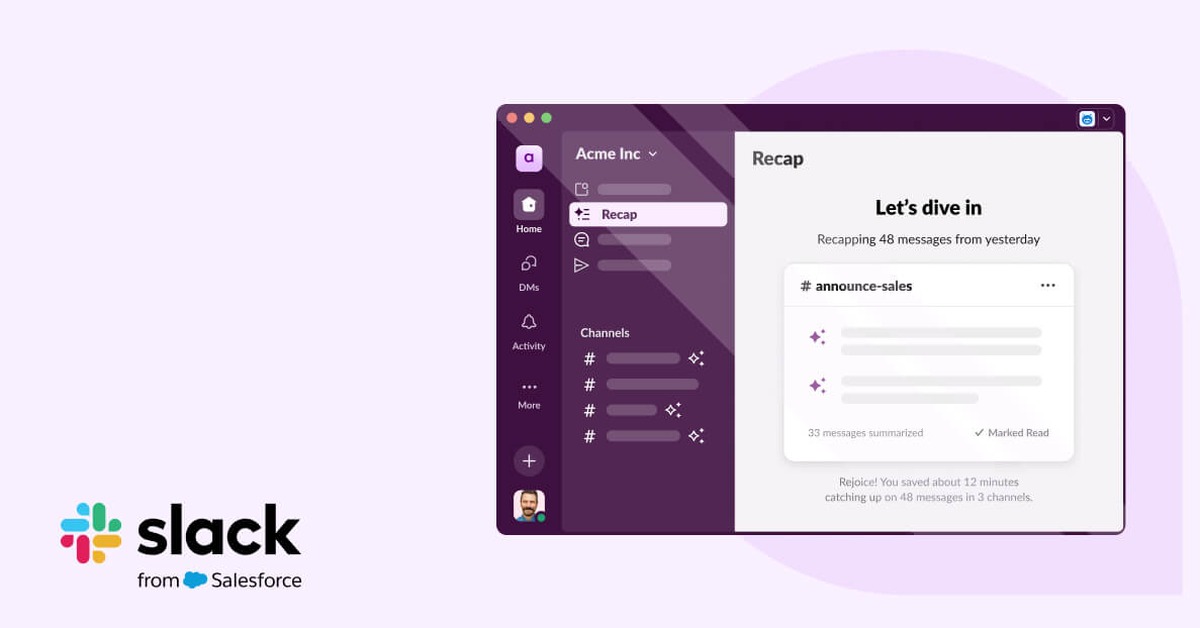
Overview of Slack AI
Slack AI is an innovative tool designed to enhance team communication and collaboration through advanced artificial intelligence capabilities. By integrating seamlessly into the Slack platform, it allows teams to automate mundane tasks, streamline workflows, and improve overall productivity. This tool is particularly valuable for remote teams and organizations looking to optimize their communication strategies. With unique features like intelligent message summarization, automated responses, and data-driven insights, Slack AI addresses common challenges faced by teams, such as information overload and inefficient communication. Its user-friendly interface and robust integration options make it suitable for businesses of all sizes, from startups to large enterprises. By leveraging Slack AI, teams can focus more on strategic initiatives rather than getting bogged down by routine tasks, ultimately leading to better outcomes and enhanced collaboration.
Key Features
- Intelligent Message Summarization: Automatically condenses lengthy conversations into concise summaries, making it easier for team members to catch up.
- Automated Responses: Set up AI-driven responses to common queries, saving time and reducing response delays.
- Data-Driven Insights: Provides analytics on team communication patterns, helping identify areas for improvement.
- Seamless Integrations: Connects effortlessly with other productivity tools to enhance workflow efficiency.
- Customizable Notifications: Tailor alerts and notifications to suit individual team member preferences.
Pros & Cons
Pros.
- Enhances productivity by automating repetitive tasks, allowing teams to focus on more strategic work.
- Offers valuable insights into communication patterns, enabling teams to optimize their collaboration strategies.
- User-friendly interface that integrates smoothly with existing Slack functionalities.
- Flexible pricing options cater to different team sizes and needs.
- Robust integration capabilities with popular tools enhance overall workflow.
Cons.
- Some advanced features may require a learning curve for new users.
- Limited free version may not provide enough functionality for larger teams.
- Dependence on internet connectivity may hinder usage in low-connectivity areas.
- AI features may not always understand context perfectly, leading to occasional inaccuracies.
- Integration with certain niche tools may not be available.
How to Use (Quick Start)
- Sign up for a Slack account or log in to your existing account.
- Navigate to the Slack AI section in the app.
- Choose your preferred settings and customization options.
- Integrate with other tools you use, such as Google Drive or Trello.
- Start using AI features like message summarization and automated responses.
- Monitor your team’s engagement and productivity through analytics.
- Adjust settings based on feedback and performance metrics.
FAQs of Slack AI
What is Slack AI?
Slack AI is an advanced tool integrated into the Slack platform that enhances team communication through AI-driven features.
How does Slack AI improve productivity?
By automating repetitive tasks and providing insights into communication patterns, Slack AI allows teams to focus on more critical work.
Is there a free version of Slack AI?
Yes, Slack AI offers a free version with basic features, but advanced functionalities are available in the Pro plan.
Can Slack AI integrate with other tools?
Absolutely! Slack AI integrates with various tools like Google Drive, Trello, and Zapier to enhance workflow.
What are the main features of Slack AI?
Key features include intelligent message summarization, automated responses, data-driven insights, and customizable notifications.
Who can benefit from using Slack AI?
Slack AI is suitable for teams of all sizes, particularly those looking to improve their communication and collaboration.
How can I get started with Slack AI?
Simply sign up for a Slack account, navigate to the Slack AI section, and follow the setup instructions.
Related AI Tools
No results found.